
Counting your steps every day requires neither expensive equipment nor a subscription. A smartphone is enough, provided you choose the right app. The problem is that most free pedometers display ads every few minutes, ruining the experience. Finding a reliable, truly free, and ad-free pedometer app takes a bit of sorting.
Health Connect on Android: What Changes for Pedometers
Since Android 14, Health Connect is integrated directly into the system. This module centralizes health data (steps, distance, calories) with a stricter permission model than the old “physical activity” permissions.
In practice, each app must request a separate permission for each type of data: steps on one side, calories on the other, distance separately. The developer is required to justify the use of each data point in their permission declaration.
Why is this good news for users looking for an ad-free pedometer? Because an app can now simply read the steps provided by Health Connect, without maintaining its own server or storing your data. Less data collected means less incentive to monetize through advertising.
On the other hand, Health Connect imposes a limit: by default, apps can only read about 30 days of history. To access older history, an additional permission is required, which you must grant explicitly. If you are tracking over several months, check that your app manages this permission.
Looking for a free ad-free pedometer app that relies on Health Connect ensures a lightweight and privacy-respecting operation.
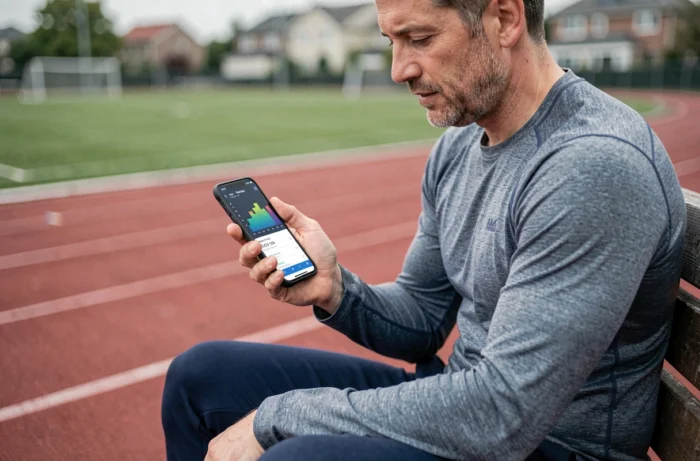
Ad-Free Pedometer Apps on iOS: The “Privacy-First” Model
On the iPhone side, Apple Health plays a role similar to Health Connect. The native app counts steps via the built-in motion sensor, without ads and without a subscription. For many users, this is sufficient.
Since 2025, new iOS apps have adopted an explicitly “no ads, no subscription” model. They are funded either by a low-cost one-time purchase or by a completely free model supported by visibility on the App Store. Their promise: no data collection beyond the motion sensor.
These apps focus on simplicity. No social dashboard, no ranking among friends, no reward system. You open the app, see your steps for the day, and that’s it. This minimalism is not a flaw; it is precisely what allows them to remain ad-free.
Concrete Criteria for Choosing a Reliable Free Pedometer
You may have noticed that two apps installed on the same phone often display a different step count? The discrepancies come from how each app interprets the sensor data. Here are the points to check before installing anything:
- Data Source: Does the app read steps via Health Connect (Android) or Apple Health (iOS), or does it use its own algorithm? The former are generally more reliable and less battery-intensive.
- Requested Permissions: An app that requests constant access to GPS, your contacts, or your microphone has no reason to do so to count steps. Decline and move on to the next one.
- Displayed Business Model: Look for the mention “no ads” in the description. If the app presents itself as free without specifying this point, expect banners.
- Battery Consumption: A pedometer that uses the native motion sensor consumes very little. If your battery drains abnormally after installation, the app is likely running background processes (ads, tracking, server synchronization).

StepsApp, Google Fit, Apple Health: Three Different Approaches
Rather than listing ten apps, let’s focus on three representative profiles that cover the majority of uses.
Apple Health and Google Fit: The Integrated Pedometer
These two pre-installed apps count steps without any advertising. They directly use the phone’s sensors and require no setup. For basic tracking without distraction, they are more than sufficient.
Their limit: the interface is functional, not motivating. You see a number, a graph, and that’s it. If you need a daily boost to maintain the habit, you won’t find it there.
StepsApp: A Pedometer with a Polished Interface
StepsApp frequently comes up in user feedback as an app whose free version is more than sufficient for daily use. The interface displays steps, calories, and distance in a more engaging visual format than native tools.
The free version contains some ads, but users on Reddit report that they remain unobtrusive. A paid version removes them. Note: StepsApp can sync with Health Connect on Android and Apple Health on iOS, allowing it to share data without duplicating the count.
Avoiding Fake Free Pedometers on the Stores
The stores are full of apps that present themselves as free pedometers without ads. In practice, many display ads as early as the third day of use, once the grace period has passed.
Before installing, read recent reviews (not those from two years ago). Look for mentions like “ads after update.” It’s a classic pattern: the app is clean at launch, then an update introduces ad banners.
Another warning sign: apps that promise to pay you to walk. The concept is appealing, but the actual amounts are negligible. And to fund these micro-rewards, these apps display a lot of ads or sell your location data.
The most reliable pedometer is the one that does one thing (count your steps) and does it well, without any marketing layer on top. Check the permissions, prioritize apps that rely on Health Connect or Apple Health, and be wary of promises that sound too good to be true. A simple and functional step counter is better than a notification factory that tracks you.