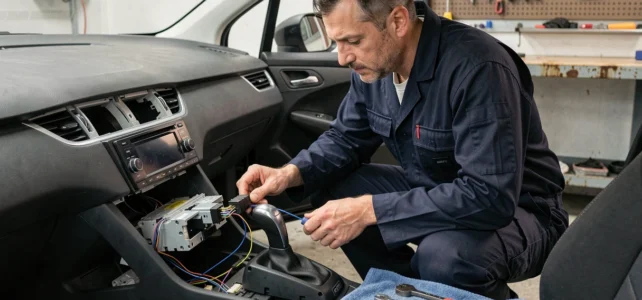
On Peugeot vehicles equipped with steering wheel controls, replacing the original radio with an aftermarket unit presents a specific problem: the volume, track change, and call answer buttons stop working if the wiring does not account for the vehicle’s communication protocol. The standard wire-to-wire connection according to ISO colors is not sufficient, as the steering wheel controls use a separate circuit, often incompatible without adaptation.
Analog signal or CAN network: identify your Peugeot’s protocol
Before touching the wiring, the first step is to determine how your Peugeot transmits the commands from the steering wheel buttons to the radio. Two systems coexist depending on the year and model of the vehicle.
Older Peugeots (up to the mid-2000s) use a variable resistance analog system. Each button on the steering wheel sends a different voltage on a dedicated wire. The aftermarket radio reads this voltage and associates it with a function. This system corresponds to the inputs marked “Key1” and “Key2” on most Android or double DIN units.
Newer models (208, 2008, 308, 508 and onwards) use the vehicle’s CAN bus network. The steering wheel controls no longer transmit an analog voltage but digital frames over the data bus. An aftermarket radio cannot read these frames without an intermediate box. Directly connecting the Key1/Key2 wires to a CAN bus vehicle yields no results.
To determine your case, check the year of first registration and the model generation. If in doubt, consulting the wiring diagram for Peugeot radio color codes helps identify the relevant wires and the type of signal used on your original connector.
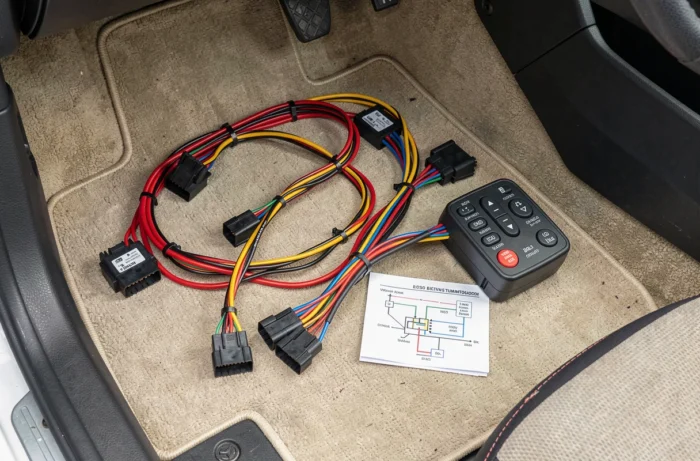
Steering wheel control interface: choosing the right adapter box
Once the protocol is identified, the central component of the installation is the steering wheel control interface. This box sits between the vehicle connector and the radio input. Its role is to translate the original signal (analog or CAN) into a signal understandable by the aftermarket unit.
Criteria for selecting an interface
- Compatibility with the exact model of Peugeot (year, engine type, equipment level): an interface designed for a phase 1 308 may not work on a phase 2
- The type of output to the radio: some interfaces send a resistive analog signal, while others communicate via a digital protocol that only certain units recognize
- Support for specific functions: volume and track are managed by most interfaces, but the voice command button or the phone hang-up may sometimes require additional programming
Brands like Connects2, PAC, or iDatalink offer references dedicated to Peugeots. On Android radios, the programming of the buttons is done in the unit’s settings, associating each physical button with a function through a learning menu.
ISO wiring and power wires: mistakes that cut sound or memory
The connection of power and speaker wires follows the ISO 10487 standard. The colors are standardized from one unit to another, but Peugeots have some peculiarities that cause malfunctions if ignored.
Power wires not to reverse
The yellow wire (permanent power, connected to the battery) retains the memory of stations and settings. The red wire (switched power from the ignition) turns the unit on and off with the engine. Reversing these two wires causes a slow discharge of the battery, as the unit remains powered continuously instead of going into standby.
On some Peugeot models, the illumination wire (often orange) is connected to the dashboard lighting. If this wire is not connected or poorly connected, the backlighting of the radio may remain in night mode permanently, or never switch to dark mode. On Android units, this wire is sometimes absent from the provided harness and must be added manually.
Audio wires and ground
Each speaker uses a pair of wires (positive and negative). Connecting a negative speaker wire to the vehicle’s ground cancels the bass and creates a metallic sound. On Peugeots, the negative speaker wires are not connected to the body; they return to the ISO connector. A specific Peugeot ISO adapter avoids this pitfall by respecting the original wiring.
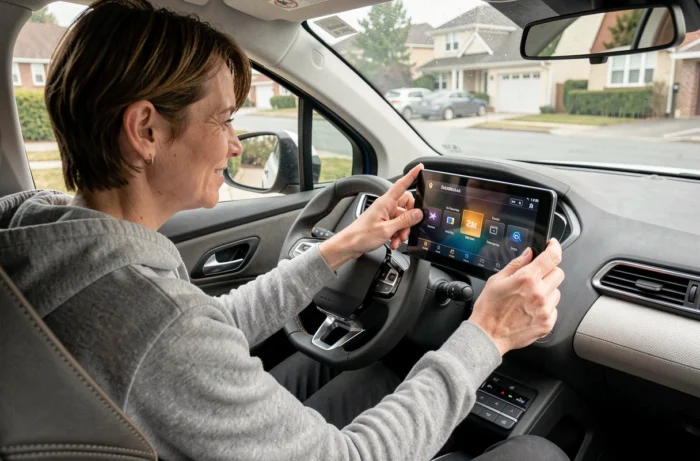
Alternative without replacing the unit: CarPlay and Android Auto boxes
For newer Peugeots equipped with an original touchscreen, a different solution exists. So-called “decoder” boxes connect behind the original screen and add CarPlay or Android Auto functions without replacing the radio. These interfaces directly utilize the vehicle’s CAN bus.
The main advantage is the complete retention of original functions: steering wheel controls, parking sensors, rear camera, and dashboard display remain operational. Manufacturers like SMARTY Trend or Autommi offer kits targeting the Peugeot 208, 2008, and 308.
This approach avoids the issues of ISO wiring and control interface, as the original unit remains in place. The trade-off is a cost sometimes equivalent to a complete aftermarket radio, and a dependence on the box’s software for updates.
The choice between a complete replacement and a plug-and-play box depends on the vehicle’s age and the desired functions. On an older Peugeot without a touchscreen, replacing it with an aftermarket unit with a steering wheel control interface remains the only viable option. On a recent model with an integrated screen, the decoder box significantly simplifies the operation while preserving the original integration.